Notes that get more useful every session.
Most coding agents forget you when the terminal closes. tau writes down what it learns, per project, and brings back only what the current turn needs.
Facts
Semantic memory stored per project. Before each turn a Retrieval Gate decides whether facts are needed at all, and what to search for.
Episodes
After every turn tau writes a one-sentence summary and consolidates them over time. That's how it remembers what you did last week.
triggers: route, endpoint, api
steps:
1. read an existing route
2. copy its middleware stack
3. add a test next to it
Skills
Procedural memory: named instructions with trigger keywords, injected when your prompt matches. tau can write new ones itself.
Ask. Recall. Approve.
Type a request in your terminal. tau pulls in the memory that matters, plans with your model, and stops for a yes before it touches anything.
- Any provider. Log in to OpenAI with your ChatGPT account, or paste an Anthropic API key. Swap models mid-session with
/model. - A permission gate. Every write, edit and shell command asks first. Reads run freely.
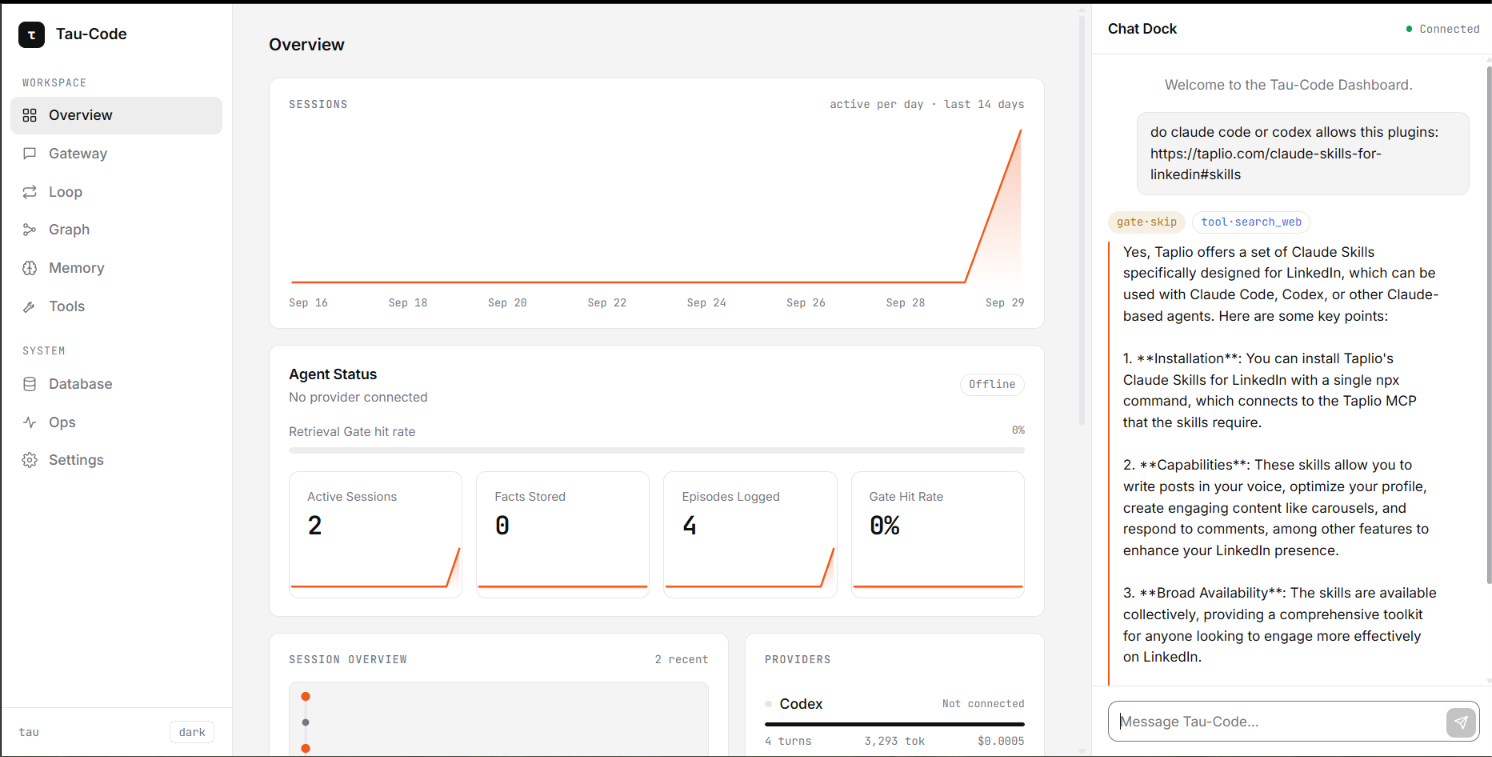
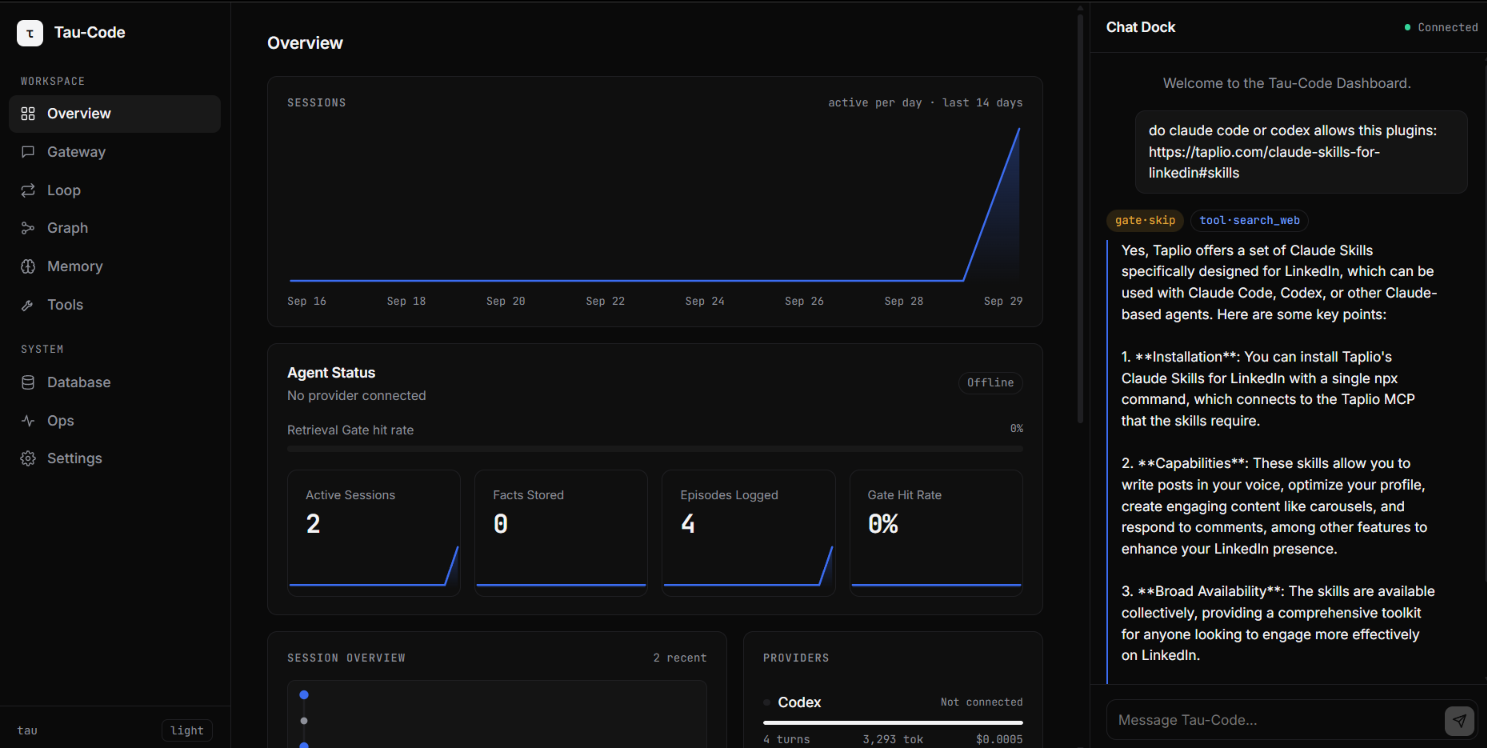
- A live dashboard. Reasoning, memory, tool calls, traces and cost at localhost:7777.
taucode · dashboard → http://localhost:7777
  /model   pick a model
  /auth    switch provider

[Memory] 3 facts · 12 episodes · 2 skills

›
Fully local. Less on purpose.
Everything tau does happens on your machine where you can see it. Each of these choices has an ADR in docs/adr/.
No cloud sandbox
Tools run directly on your machine, which is why every write, edit and shell command asks you first.
No hosted service
There's no account to create and no server of ours between you and the model. You bring your own provider.
No spoofed logins
Claude uses a real API key. Logging in with a Pro/Max subscription would mean impersonating another product, and that gets accounts banned.
Zero to a working agent in four steps.
taucode runs on Bun. You need bun, git, and an OpenAI account or Anthropic API key.
Skip this if bun --version already works.
Pull the repo and install its dependencies.
OpenAI uses a browser login against your ChatGPT/Codex account. Claude takes an API key. Credentials are saved to ~/.taucode/auth.json, outside the repo.
Commands
Everything you can type, run or configure.
/model | Opens an interactive picker for models on your current provider. |
/model <name> | Sets the model directly on your current provider. |
/auth | Logs in to or switches provider (OpenAI OAuth or Claude API key) without leaving the session. |
exit · quit | Ends the session. Ctrl+D also works. |
| anything else | Sent to the agent as a turn. Tool calls print inline as ↳ tool {args}. |
bun start | Starts the CLI and the dashboard on :7777. |
bun run auth | Runs the provider login flow before you start. |
bun run eval | Runs the deterministic eval suite (bun test assertions). |
bun run eval:judge | LLM-as-judge scoring of agent responses. |
bun run eval:gate | Fails when eval scores drop below TAU_EVAL_THRESHOLD. Meant for CI. |
bun run trace | Points you at the JSONL traces in .tau/traces/. |
read_fileno prompt | Reads files in your project. |
write_fileasks first | Creates or overwrites a file. |
edit_fileasks first | Makes targeted in-place edits. |
bashasks first | Runs a shell command directly on your machine. |
search_web | Looks things up on the web. |
manage_memoryasks first | Adds, updates or removes project Facts. |
create_skillasks first | Saves a reusable procedure with trigger keywords. |
update_soulasks first | Edits .tau/SOUL.md, the project's standing persona and preferences. |
OPENAI_API_KEY | Optional OpenAI key, used instead of the OAuth login. |
ANTHROPIC_API_KEY | Your Anthropic key for the Claude provider. |
TAU_GRAPH_WORKFLOWS=1 | Turns on the Triage Graph: greetings get a quick reply, and everything else runs the full loop. If the graph errors, tau falls back to the plain loop. |
TAU_DIR | Overrides where project state (.tau/) lives. |
TAU_GATE_MODEL | Model used by the retrieval gate. |
TAU_JUDGE_MODEL · TAU_EVAL_THRESHOLD | Judge model and pass threshold for evals. |
Start a session that remembers.
Clone the repo, connect a provider, and run bun start.